






HeyGen Avatar IVin Shorz
HeyGen's Avatar IV engine turns one photo and a voice track into a talking presenter — inside the editor that adds the captions, B-roll and music, at the lowest per-second rate of any avatar model in Shorz.
- Newest · Cheapest
- From 5 credits per second
- Tier · Budget
- Motion prompt · No
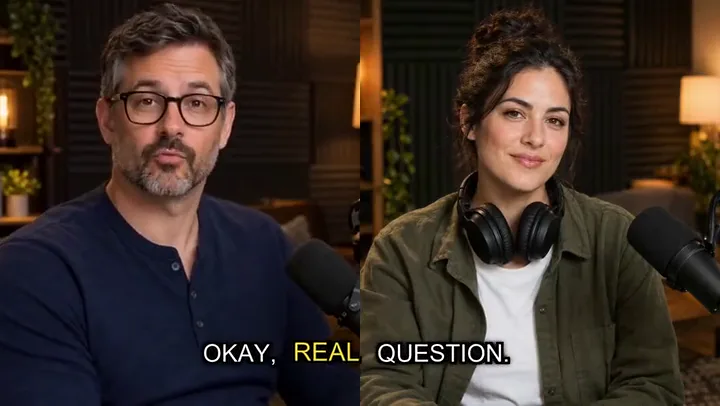
two host photos + a scriptHeyGen Avatar IVpodcast with captions, B-roll, emojis and music
Made with HeyGen Avatar IV in Shorz
Finished videos made in Shorz with HeyGen Avatar IV: one generated photo and a script in, then captions, AI B-roll, emojis and music added by Shorz. Press play for sound.
Script: “Three habits that literally doubled my productivity. One: I plan tomorrow, tonight. Five minutes, three priorities, done. Two: my phone lives in another room until lunch. Sounds extreme. Works every time. Three: I work in fifty-minute sprints, then I take a real break. Walk, water, stretch. Steal just one of these this week, and watch what happens.”
Script: “Stop doing crunches. Seriously. They pull on your neck and only hit a small part of your core. Do this instead. Planks: thirty seconds, squeeze everything, breathe. Then dead bugs: back flat on the floor, opposite arm and leg, slow and controlled. Finish with bird dogs, ten each side. Three rounds, ten minutes, and your core will thank you. Save this for your next workout.”
HeyGen Avatar IV at a glance
Avatar IV is HeyGen's photo-avatar engine: it lip-syncs a single still photo of any person to an audio track. Shorz drives it with the same per-sentence avatar pipeline as Kling and OmniHuman, so you pick it in the avatar model dropdown and everything else — script, voice, captions, B-roll, music — works the same. It's the cheapest avatar model per second in the app.
Specs in Shorz
- Made by
- HeyGen
- Engine
- HeyGen Avatar IV (photo avatar)
- Input
- Any single-person photo + generated or uploaded voice
- Used in
- Avatar and Podcast projects, and Music Video lip-sync shots
- Billing
- Per second of rendered video, on HeyGen's exact clip length
- Account
- No HeyGen subscription or API key — runs on Shorz credits
- Requires
- Shorz 4.0.10 or later
Price in Shorz credits
5credits per second
1 credit = €0.01. Prepaid packs, no subscription, credits never expire. Prices are read from the same live catalog the app uses. See packs
Why pick HeyGen Avatar IV in Shorz
Lowest avatar price
Cheaper per second than Kling Avatar, Kling Avatar Pro and OmniHuman 1.5 — long scripts and two-host podcasts cost less.
Any photo, any person
Upload a photo or generate a presenter in Shorz; Avatar IV animates that exact face to the voice track.
No HeyGen account
No separate HeyGen subscription or API wallet to manage — it bills on your Shorz credits like every other model.
Billed to the fraction
Shorz bills HeyGen's exact reported clip length, not whole seconds rounded up.
Best for
- Long scripts
- Two-host podcasts
- High-volume presenter content
- Faceless channels adding a host
Where HeyGen Avatar IV works in Shorz
Same model, no separate account: it runs on your Shorz credits wherever the app offers it.
How to use HeyGen Avatar IV in Shorz
Shorz is a desktop app for Windows and Mac. Download it, sign in, and HeyGen Avatar IV is already in the model picker — no API key, no waitlist, no second subscription.
Or ask your AI agent
“Make a 30-second avatar video from this headshot with HeyGen Avatar IV, add captions, B-roll and background music.”
Shorz MCP server- 1Download Shorz 4.0.10 or later for Windows or Mac and sign in.
- 2Start an Avatar or Podcast project.
- 3Upload a presenter photo or generate one, then write or generate the script.
- 4Pick HeyGen Avatar IV as the avatar model and choose a voice.
- 5Render: HeyGen animates the photo to the voice, then Shorz adds captions, B-roll, emojis and music.
HeyGen Avatar IV vs other avatar models
All avatar models in Shorz, with live credit prices.
| Model | Best at | Tier | Motion prompt | Credits |
|---|---|---|---|---|
 Kling Avatar Pro Kling Avatar Pro | The default talking-avatar model — Kling's Pro tier, with motion and gesture prompts. | Pro | Yes | 18 per second |
| Kling Avatar | Kling's standard avatar tier — half the per-second price of Pro, for drafts and long scripts. | Standard | Yes | 9 per second |
 OmniHuman 1.5 OmniHuman 1.5 | ByteDance's premium avatar model for the most realistic presenter performance. | Premium | No | 25 per second |
| HHeyGen Avatar IV | HeyGen's Avatar IV lip-syncs any single-person photo — the lowest per-second avatar price in Shorz. | Budget | No | 5 per second |
Every model, one app
Shorz isn't a model playground. The models generate the parts; the editor around them turns those parts into a finished, captioned, published video.
- Every model on one prepaid balance — no per-provider subscriptions
- No watermark on anything you generate or export
- Full commercial rights on what you create
- No API keys to manage: the models run on your Shorz account
- New model versions appear in the picker without an app update
- Drivable from Claude, Cursor, Codex or Gemini over MCP
HeyGen Avatar IV questions
No. HeyGen Avatar IV runs on your Shorz account and is billed in Shorz credits — there's no HeyGen subscription or API wallet to set up.
It's the cheapest per second of the four avatar models. Kling Avatar and Kling Avatar Pro add a motion and gesture prompt; OmniHuman 1.5 is the premium maximum-realism tier.
Shorz 4.0.10 or later. Older builds don't list the model.
Yes. It's available for both Avatar and Podcast projects, and for lip-sync shots in Music Video projects.
Still have questions? Ask founder
More models in Shorz
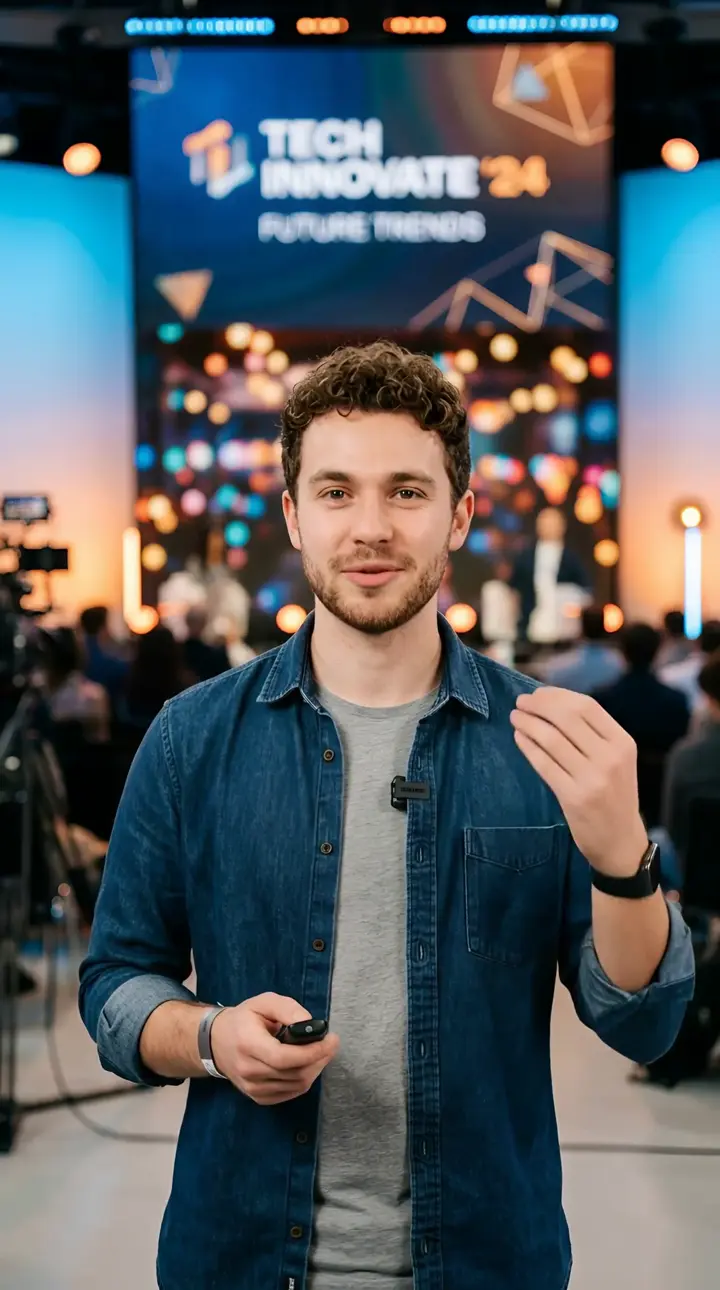 Default
Kling Avatar Pro
Kling AI · Avatar
The default talking-avatar model — Kling's Pro tier, with motion and gesture prompts.
 Half of Pro
Kling Avatar
Kling AI · Avatar
Kling's standard avatar tier — half the per-second price of Pro, for drafts and long scripts.
 Max realism
OmniHuman 1.5
ByteDance · Avatar
ByteDance's premium avatar model for the most realistic presenter performance.
 Newest
ElevenLabs v4
ElevenLabs · Voice & Audio
ElevenLabs' flagship text-to-speech: 90+ languages, audio tags, 10,000 characters a request.

Try HeyGen Avatar IV in Shorz
Download Shorz for Windows or Mac and HeyGen Avatar IV is already in the picker — no API key, no subscription, no watermark.
Publishes straight to