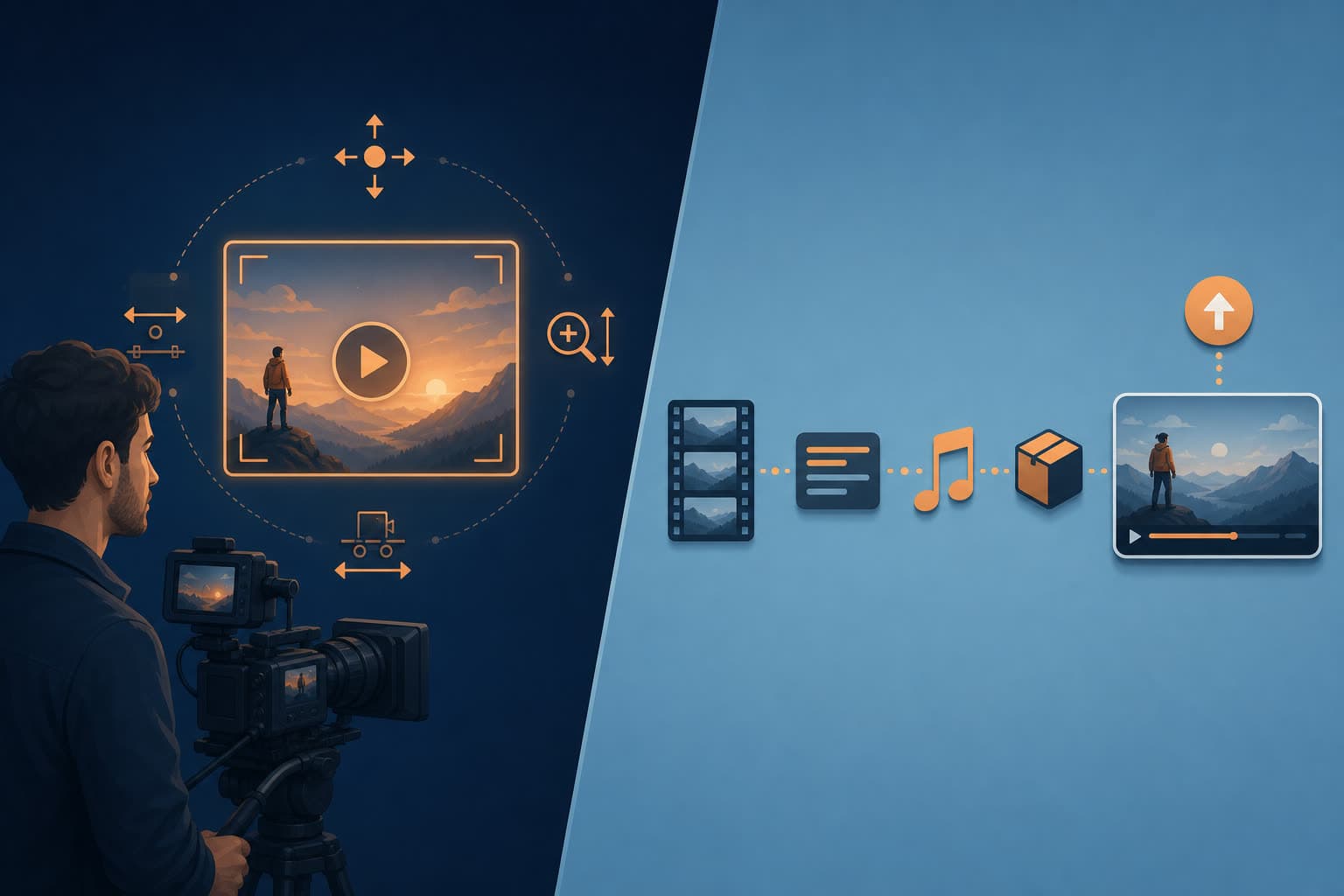

Higgsfield and Shorz both put frontier video models in your hands, and they are still not competing for the same job. Higgsfield is a browser-based generation studio built for people who want to direct a shot. Shorz is a Windows desktop app built for people who need to ship a video — captioned, scored, packaged and posted.
That distinction decides which one belongs in your workflow, so this comparison starts there rather than with a feature count.
Competitor details below were checked in July 2026. Higgsfield in particular has re-priced repeatedly, and its pricing page is not viewable without an account — verify current numbers before you buy.
The one-line version
- Higgsfield is the strongest AI shot generator on the market: camera-motion control, character consistency, and a deep bench of frontier models in one browser workspace.
- Shorz is a production line: six project types that take a script, a photo, or one long recording all the way to a publish-ready file, then publish or schedule it to eight platforms.
If you want a beautiful ten-second clip, Higgsfield. If you want a finished video posted on Tuesday morning, Shorz. Many serious creators end up wanting both.
What Higgsfield is genuinely excellent at
Credit where it's earned — these are real advantages, not straw men.
- Camera control. Higgsfield's per-shot camera work — dollies, trucks, pans, tilts, orbits — is its signature, and Cinema Studio is built around treating camera movement as a directorial choice rather than a prompt accident. Reviewers consistently single this out as best in class.
- Character consistency. Soul ID pins a character from a reference image and carries that identity across later generations. Soul 2.0 is a photo model tuned for fashion and aesthetics.
- Model breadth. Higgsfield aggregates a large and fast-moving roster — Sora 2, Veo 3.1, Kling 3.0, WAN 2.6, Seedance 2.x, Grok Imagine, Gemini Omni Flash, Nano Banana Pro, GPT Image 2 and more — under one interface.
- Viral VFX presets. Dozens of one-click looks (Earth Zoom, Action Figure, Orbit 360, Sticker Peel and many others) that reliably produce the effects currently trending on short-form feeds.
- A real creative surface. Canvas for moodboarding and chaining workflows, a public community gallery where you can inspect other people's prompts and assets, an After Effects plugin, an MCP/CLI, and a Supercomputer agent.
If your work is "generate a striking shot nobody has seen before," Higgsfield is a defensible purchase and Shorz does not replace it.
 Higgsfield markets itself around single striking shots — director-grade generation, not a finishing-and-publishing workspace.
Where Higgsfield stops
Higgsfield produces clips. The gap between a clip and a publishable video is the part that eats your evening.
- No caption pipeline. No transcript-driven subtitles, no styling, no highlight-spoken-word retention captions, no dubbing.
- No narration-driven assembly. There's no "paste a script and get a narrated, storyboarded, multi-scene video" path. You generate shots and sequence them somewhere else.
- No publishing or scheduling. Nothing posts to YouTube, TikTok, Instagram or anywhere else. Export, then open your scheduler.
- Credits with a clock on them. Reporting on Higgsfield's top-up packs consistently describes a 90-day expiry, and plan credits that don't roll into the next month. Reviewers also flag annual billing being pre-selected at signup.
- Pricing you can't read before signing up. Higgsfield's
/pricingURL redirects to the homepage for logged-out visitors. Third-party trackers put Starter around $15/mo for ~200 credits, Plus around $39–49/mo for ~1,000 credits, and Ultra in the $129+ range for ~3,000 — while also noting the pricing changed three times in ninety days. - Credit burn is the top complaint. Reviews repeatedly describe Starter users exhausting a month of credits in three to five days of real use, because frontier video models are expensive per second at any resolution above preview.
Where Shorz is different by design
Shorz treats generation as one input among several, not the product.
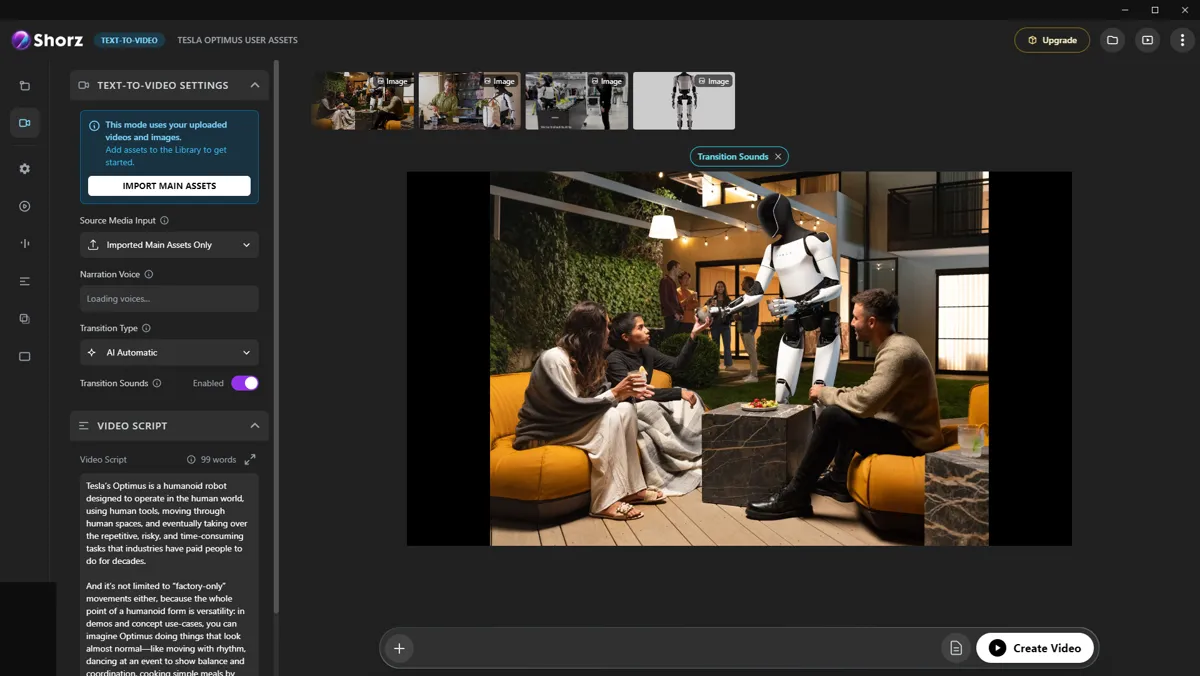 Script to Video in Shorz — a script, a narration voice and per-scene media on the left; the assembled video previewing on the right. This is the step that turns generated shots into a finished cut.
- Six entry points, not one. Auto Edit Video (your footage + a plain-language brief), Script to Video, Avatar, Podcast, Advertisement and Clipping.
- Clipping. Drop one long video — a local file or a YouTube, TikTok, Facebook or Instagram link — and get up to 8 ready-to-post short clips, captioned and B-rolled. There is no equivalent in Higgsfield.
- The finishing layer. Auto subtitles with deep styling and 16 word animations, dubbing into ~108 languages, animated titles, animated borders, overlays, five B-roll modes, AI music and SFX, speech-synced auto-zoom, face tracking, and a thumbnail creator for 16:9 and 9:16.
- Character consistency, script-first. Script to Video takes typed references — Style (0–3), Characters (0–4, each named, each with an auto-generated turnaround sheet) and Environments (0–4) — so one character holds across every scene of a narrated video, not just between two isolated generations.
- It publishes. Render once, then publish or schedule to YouTube, TikTok, Instagram, Facebook, X, LinkedIn, Threads and Pinterest, up to 30 days ahead, and see per-post engagement in the app afterwards.
- Credits that never expire. 1 credit = €0.01, packs at €19.90 / €99.90 / €199.90 (1,990 / 9,990 / 19,990 credits), no subscription, one balance across every tool, optional auto top-up, full commercial rights.
- Local rendering and local assets. The final composite runs on your machine with GPU-accelerated encoding, and projects, generated videos, images, thumbnails and audio persist in a reusable local library — so you're not waiting in a shared render queue and not re-paying to regenerate something you already made.
Worth naming plainly: both apps lean on some of the same engines. Shorz runs Kling v3, Seedance 2.0 / Fast / Mini, Gemini Omni Flash, Nano Banana 2 and GPT Image 2, with Kling Avatar Pro and OmniHuman 1.5 for avatars. The model gap between the two is narrower than the marketing suggests; the workflow gap is the real one.
Side by side
| Shorz | Higgsfield | |
|---|---|---|
| Form factor | Desktop app for Windows and Apple Silicon Macs | Browser-based |
| Core unit of work | A finished video | A generated shot |
| Commercial model | Prepaid credits, no subscription | Subscription tiers + top-up packs |
| Credit expiry | Never expire | Plan credits reset; packs reported to expire in 90 days |
| Pricing visible pre-signup | Yes | No — /pricing redirects when logged out |
| Camera-motion direction | Not a feature | Best-in-class |
| Character consistency | Named characters + turnaround sheets across a scripted video | Soul ID across generations |
| Long-video → shorts | Clipping, up to 8 clips, link or file | No |
| Subtitles & styling | Auto captions, 16 word animations, deep styling | No |
| Dubbing | ~108 languages, one toggle | No |
| Talking avatars | Avatar + two-speaker Podcast project types | Talking Avatar / Lipsync Studio |
| Music, SFX, B-roll, titles | Built in | No |
| Thumbnails | 16:9 and 9:16 generator | No |
| Publish / schedule | 8 platforms, up to 30 days ahead | No |
| Agent automation | MCP server | MCP / CLI |
| Community gallery | No | Yes, with visible prompts |
Which one fits your work
Choose Higgsfield if your output is the shot itself: concept films, music videos, fashion and beauty visuals, VFX-forward social posts, pitch and mood work. You want camera language, you want the newest model the week it lands, and you already have an editor for the last mile.
Choose Shorz if your output is volume: a faceless channel, a client content retainer, ad variants, podcast repurposing, an educational series. You need the same video captioned, scored, thumbnailed and posted every week, and you'd rather not stitch four tools together to get there.
Use both if you're a studio. Generate hero shots in Higgsfield, import them into a Shorz project as your own footage, and let Shorz handle captions, sound, packaging and distribution.
Honest limits on the Shorz side
Anyone comparing these seriously deserves the other half.
- Shorz is a desktop app for Windows and Apple Silicon Macs — no Linux, Chromebook or Intel Mac build. Higgsfield runs in any browser.
- No free AI generation. Shorz's free tier covers Auto Edit and Clipping of your own footage (4 videos a week, no watermark); generating AI video needs credits. Higgsfield runs recurring promotional free-access windows on its generation models.
- Shorz doesn't try to compete on camera-motion direction or on being first to every new frontier model.
- If you want a public community feed to browse other people's prompts, that's Higgsfield's territory.
Verdict
Higgsfield is the better tool for directing an image. Shorz is the better tool for finishing and shipping a video. The failure mode people actually hit isn't "my shots weren't cinematic enough" — it's a folder of gorgeous ten-second clips that never became posts.
If your bottleneck is the last mile — captions, sound, packaging, publishing, doing it again next week — that's the part Shorz was built for: AI Video Editor for Faster Production
Other comparisons
Weighing more than one option is the sensible way to buy. The same research applied to the rest of the field: