Shorz Logo
Account

ElevenLabs API key

Takes less than ~3 minutes to get your API key.

ElevenLabs powers premium voices & voice cloning, dubbing, and noise reduction in Shorz. Follow these steps to get your ElevenLabs API key in minutes, then add it in Shorz under API Keys.

1. Start here 👉 Get ElevenLabs API key

Open ElevenAPI from the navigation

  • Click the button above "Start here 👉 Get ElevenLabs API key" to open the ElevenLabs.
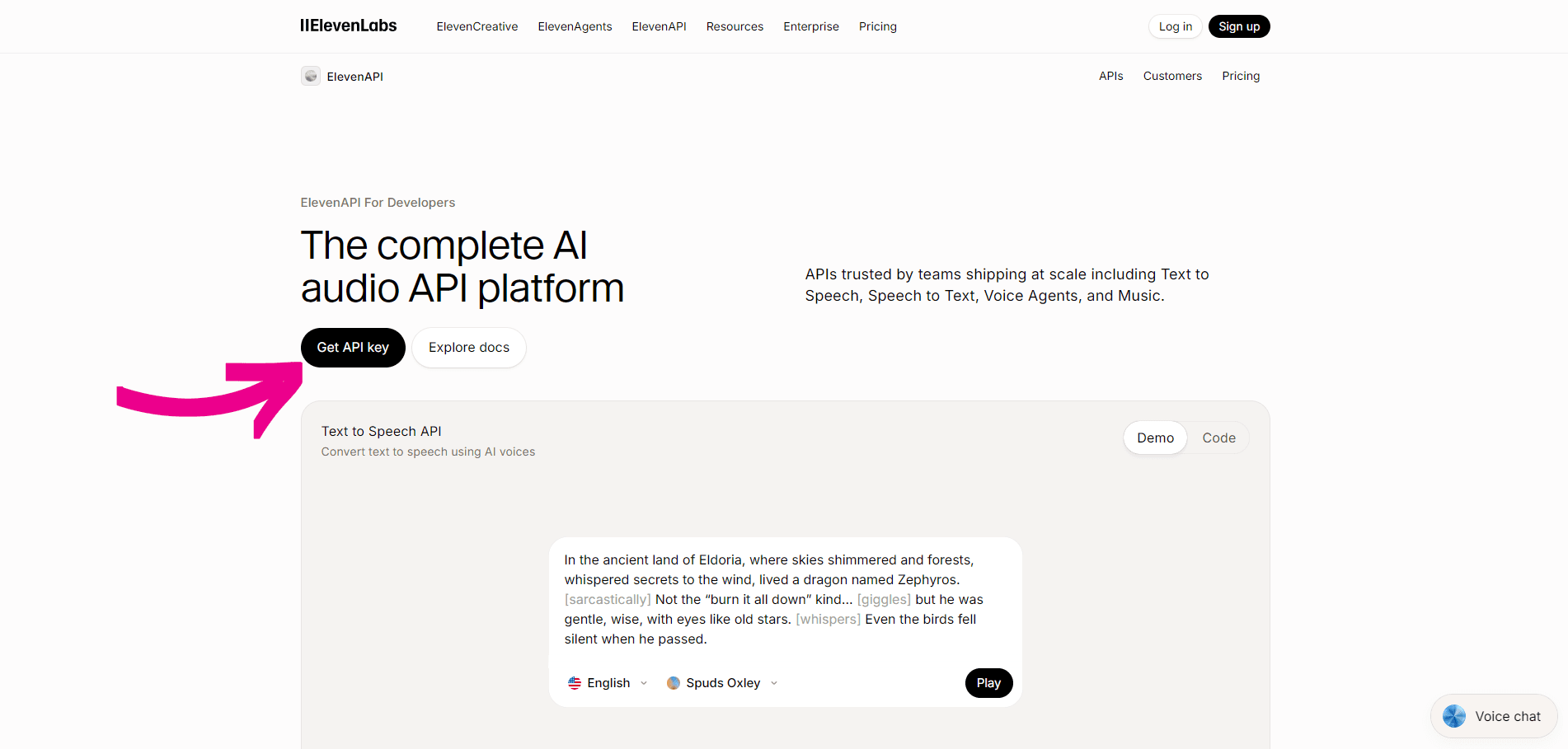
  • In the top navigation bar, click ElevenAPI.
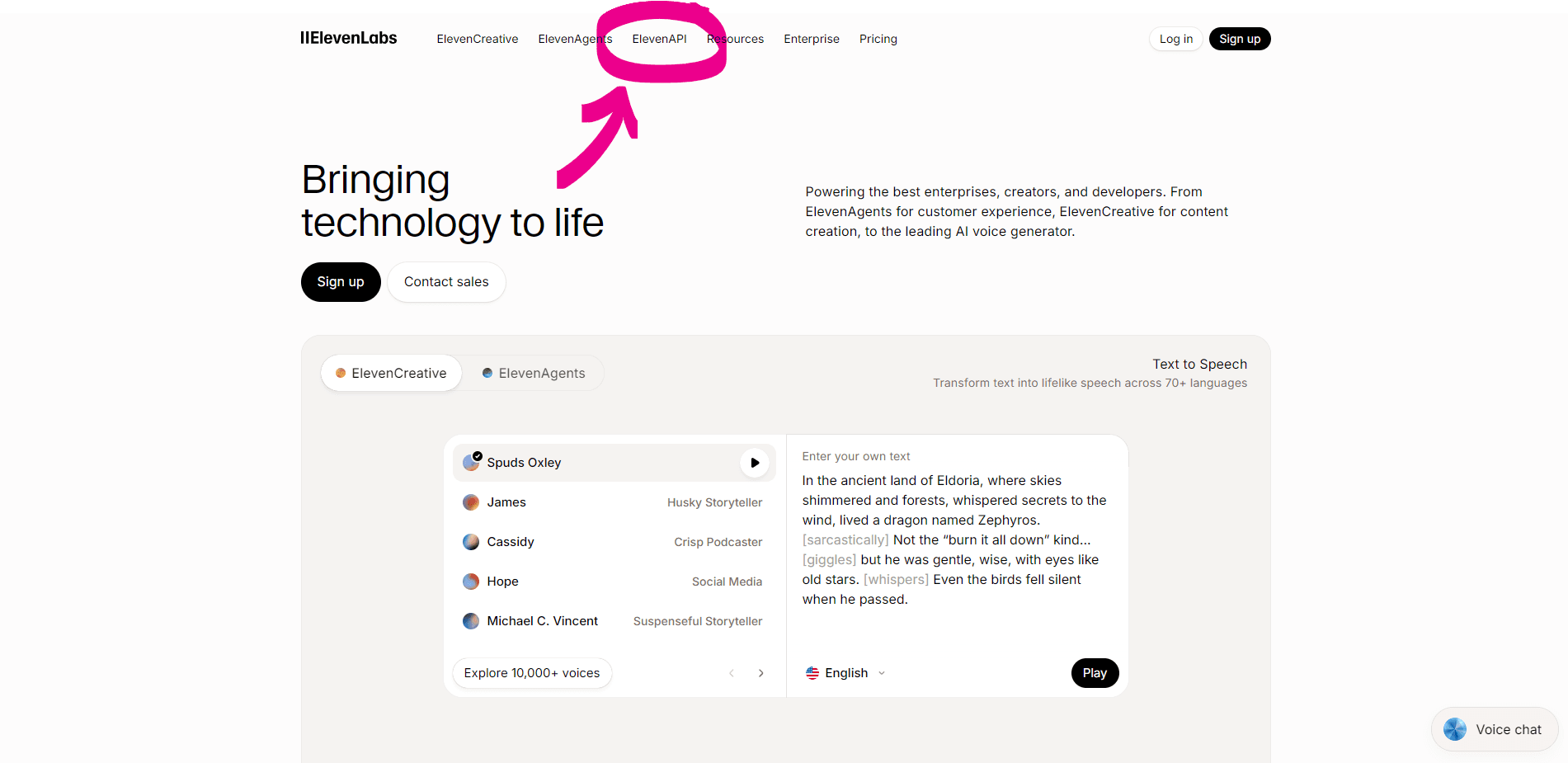
ElevenLabs homepage — click ElevenAPI in the navigation

Get your ElevenLabs API key

  • On the ElevenAPI page, click "Get API key" to sign up or log in.
ElevenLabs ElevenAPI — click Get API key

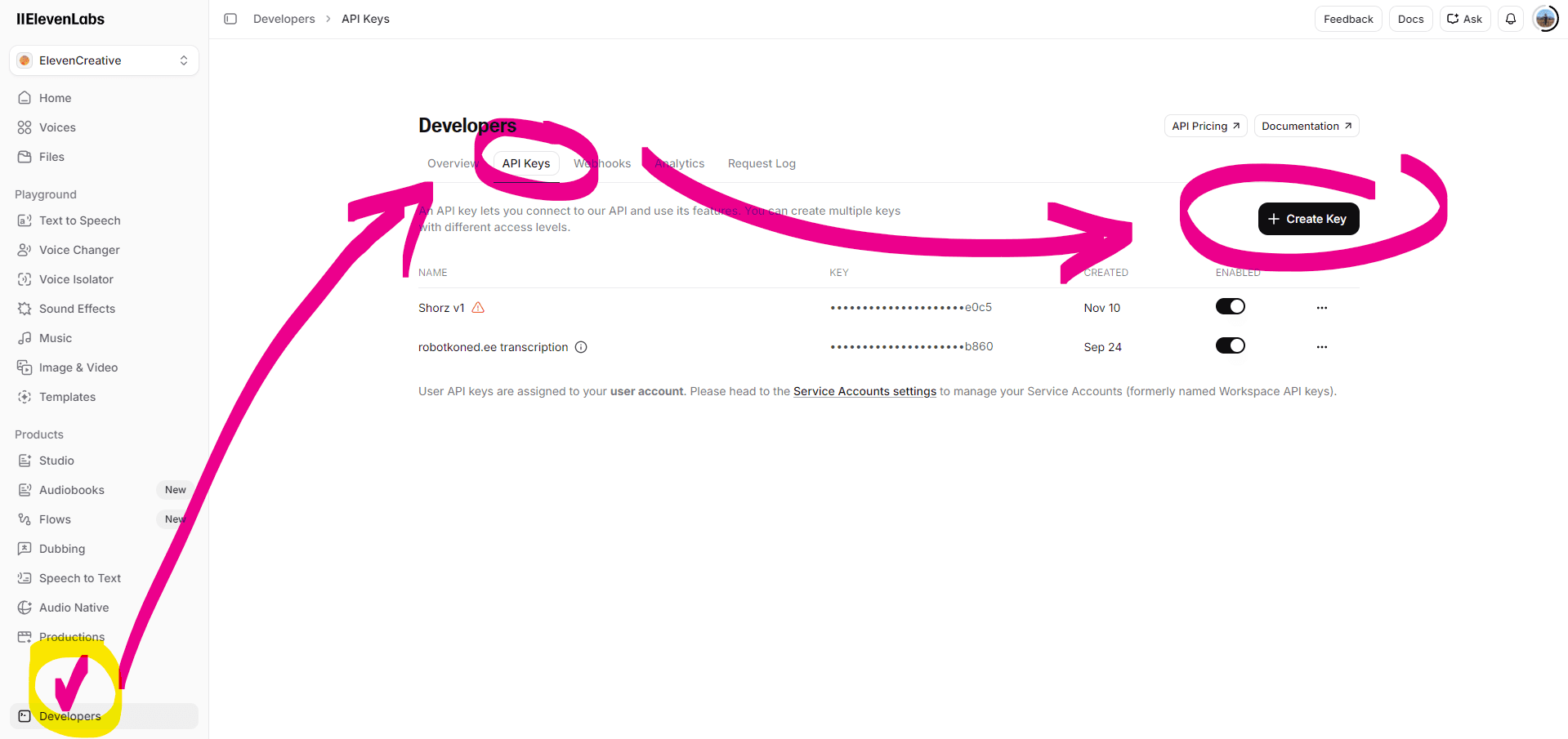
Open API Keys and create a key

ElevenLabs Developers — API Keys — Create Key

Create the key

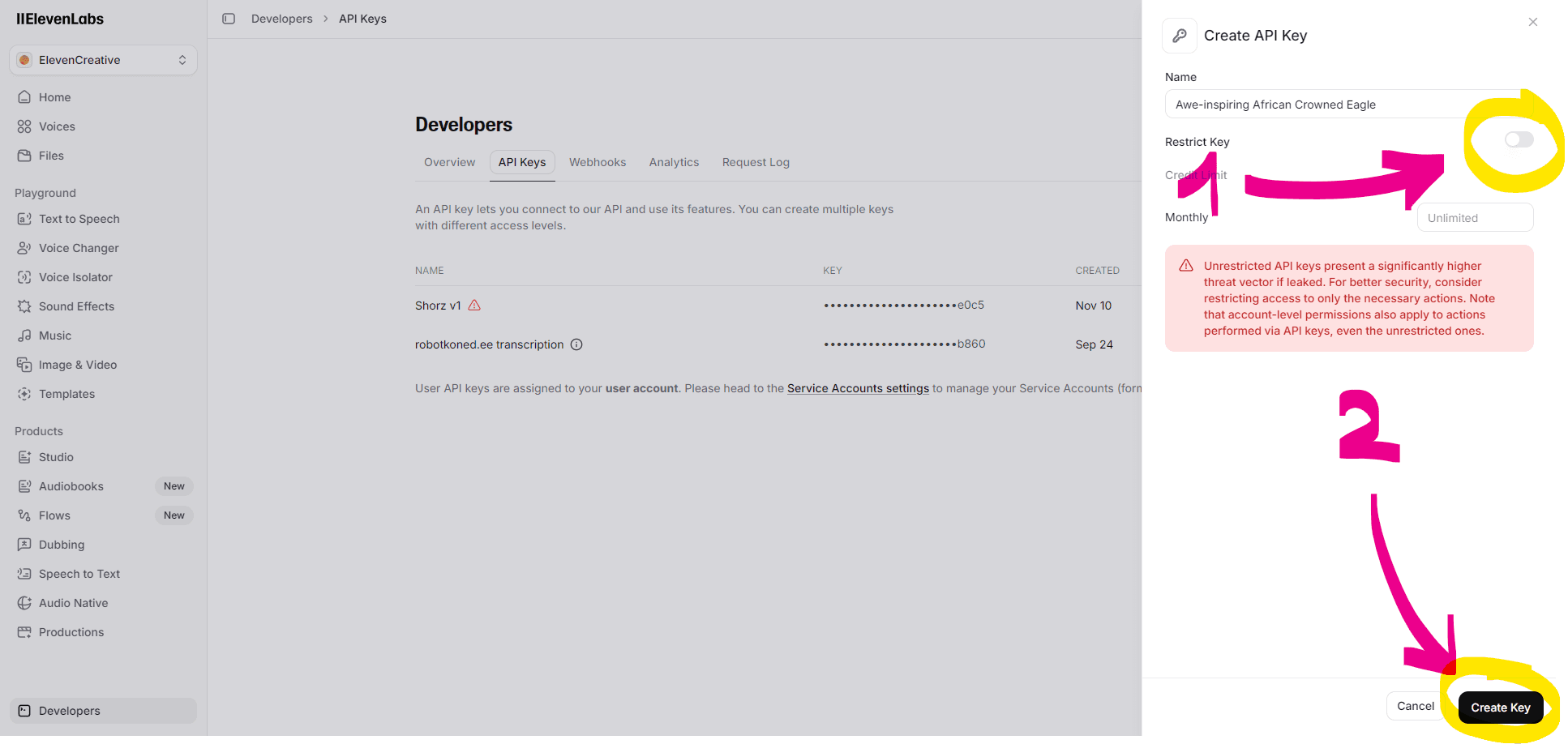
  • Give the key a name (e.g. Shorz).
  • Leave "Restrict Key" OFF so Shorz voice features work.
  • Click "Create Key".
ElevenLabs Create API Key — Create Key button

Copy your ElevenLabs API key

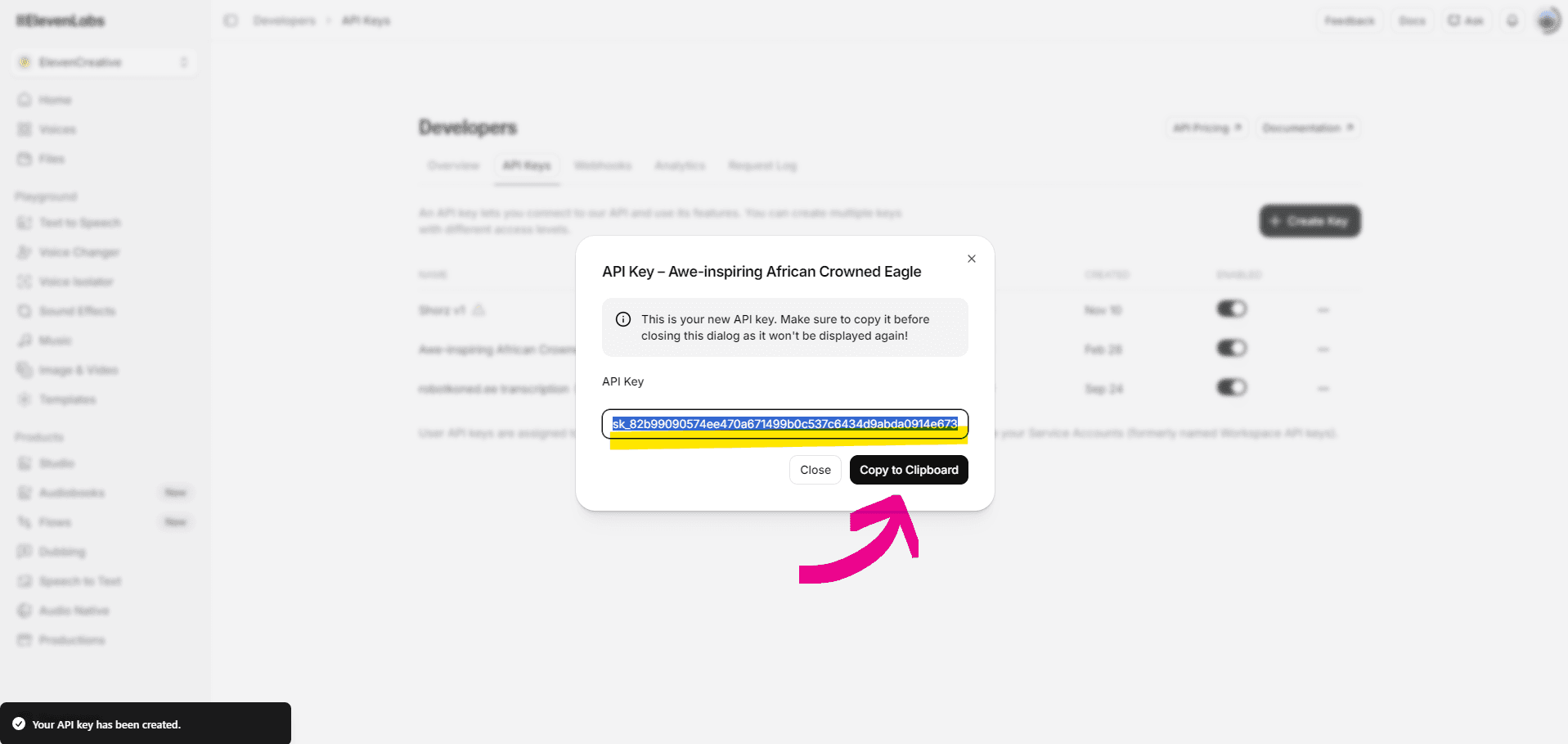
  • In the modal, click "Copy to Clipboard" — the key won't be shown again.
  • In Shorz, open API Keys and paste it into the ElevenLabs field.
ElevenLabs API key — copy to clipboard

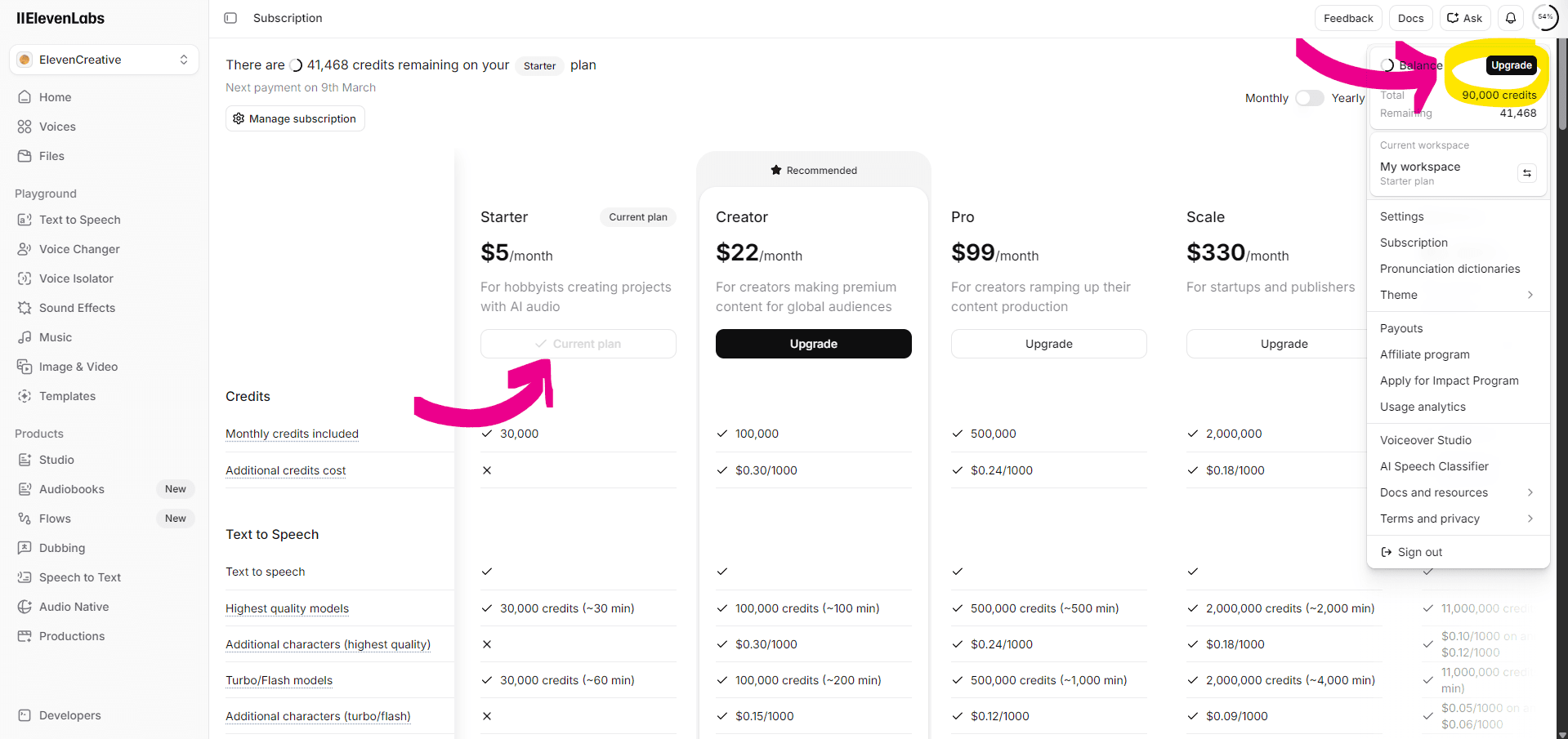
Upgrade your plan (required for Shorz)

  • The free ElevenLabs plan won't work with Shorz — you need a paid plan.
  • Go to Subscription and click "Upgrade" to switch to Starter or Creator.
  • Starter plan ($5/month) is the minimum plan suitable for Shorz.
  • Creator unlocks 1000s of premium voices and voice cloning for use in Shorz.
ElevenLabs Subscription — upgrade plan