








GPT Image 2.5for images with text
OpenAI's image model — the same Flare model ChatGPT runs — is the default in Shorz's Thumbnail Creator because it renders legible words, and it generates scene stills for about two credits each.
- Thumbnail default
- From 1 credits per image
- Max size · 1536px
- Speed · Fast
Made with GPT Image 2.5 in Shorz
Real images generated in Shorz, unedited, shown with the exact prompt that made them.
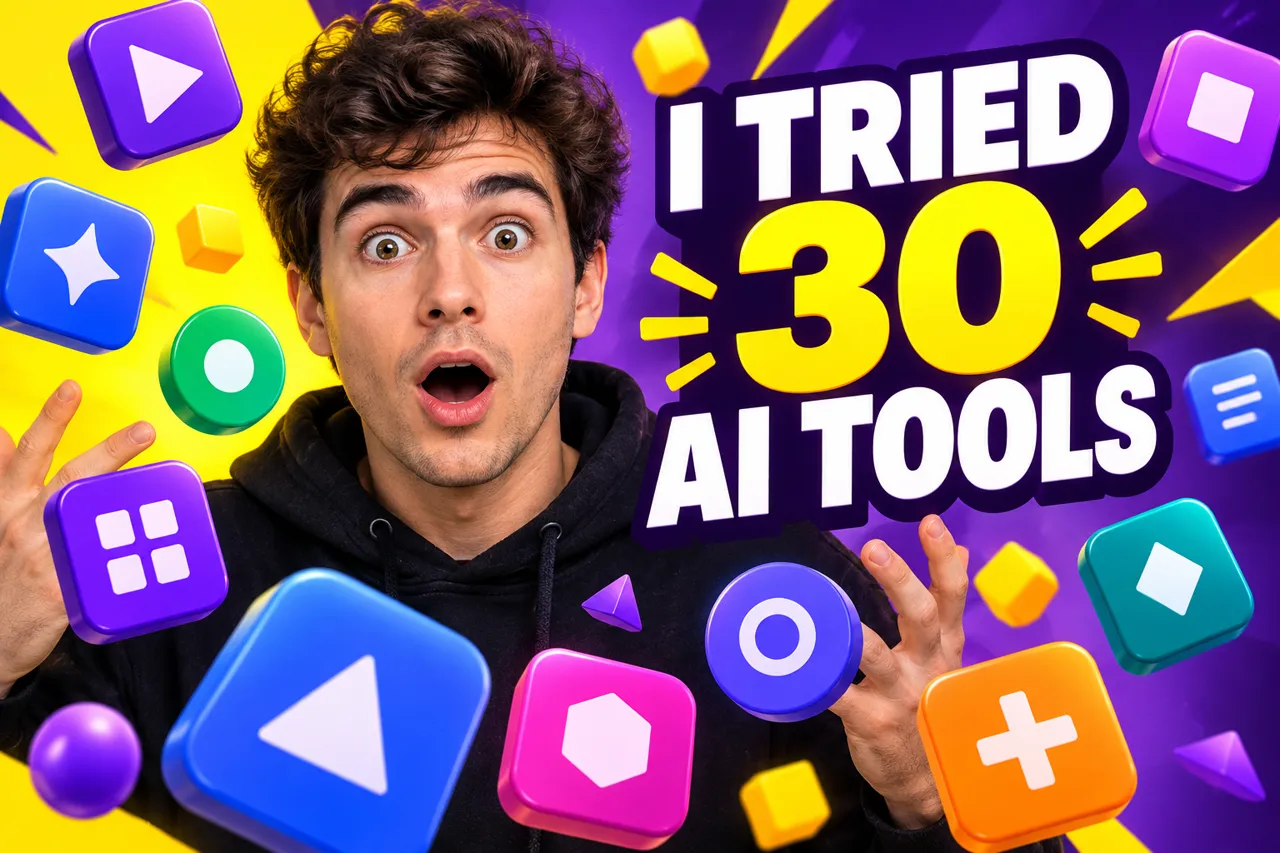
“YouTube thumbnail: a surprised young creator surrounded by floating abstract glossy app icons (simple geometric shapes only, no real brand logos), huge bold text reading "I TRIED 30 AI TOOLS", high contrast, vibrant yellow and purple.”
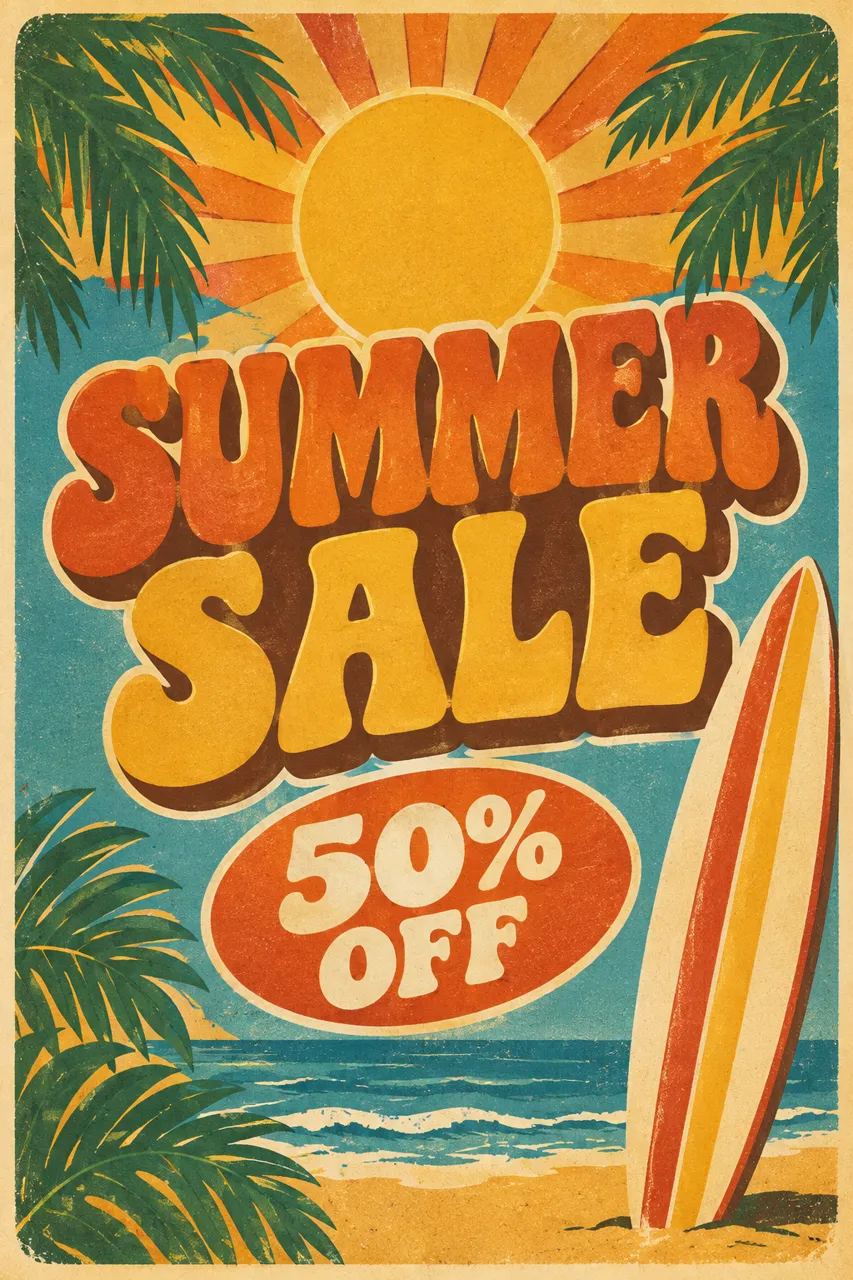
“Retro summer sale poster with a sun, palm leaves and a surfboard, big headline "SUMMER SALE" and "50% OFF" below, 1970s print style.”
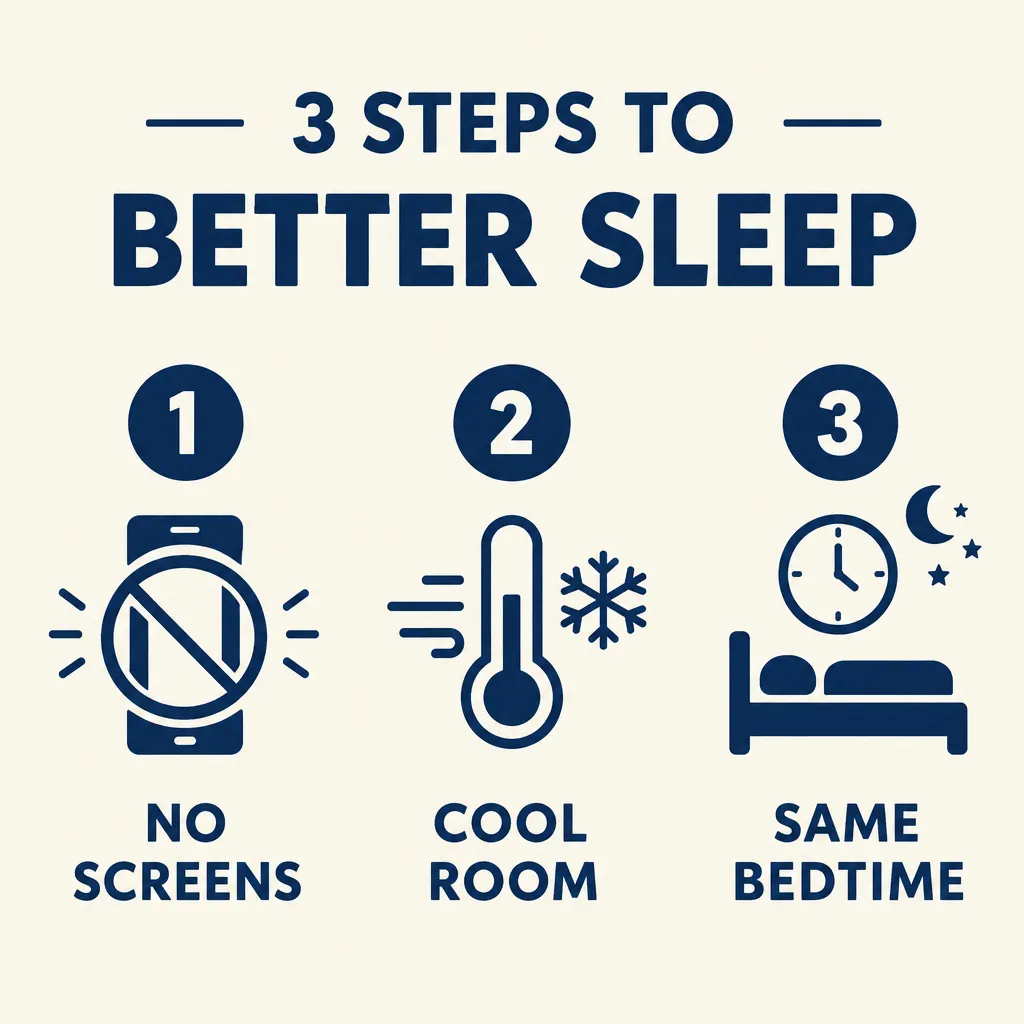
“Clean minimal infographic titled "3 STEPS TO BETTER SLEEP" with three numbered icons: 1 NO SCREENS, 2 COOL ROOM, 3 SAME BEDTIME, navy and cream colors.”
GPT Image 2.5 at a glance
GPT Image 2.5 is OpenAI's image generation model, shipped in September 2026 as two variants. Shorz runs Flare — the one ChatGPT uses, roughly 50% faster than GPT Image 2 — and offers Sunburst separately. Its strength is text: titles, labels and words in the image come out spelled correctly.
Specs in Shorz
- Made by
- OpenAI
- Variant
- GPT Image 2.5 Flare (what ChatGPT runs)
- Sizes
- 1024×1024, 1536×1024, 1024×1536
- Quality tiers
- Low, medium, high, xhigh, max
- Edits
- Reference-image edits and transparent backgrounds
- Default for
- Thumbnail Creator
- Also in
- Text-to-Video scenes and AI B-roll
Price in Shorz credits
1–28credits per image
- 1024x1024 · low · per image1 cr
- 1024x1024 · max · per image28 cr
- 1024x1024 · high · per image7 cr
- 1024x1024 · xhigh · per image13 cr
- 1024x1024 · medium · per image2 cr
- 1024x1536 · low · per image1 cr
- 1024x1536 · max · per image22 cr
- 1024x1536 · high · per image6 cr
- 1024x1536 · xhigh · per image10 cr
- 1024x1536 · medium · per image2 cr
- 1536x1024 · low · per image1 cr
- 1536x1024 · max · per image22 cr
- 1536x1024 · high · per image6 cr
- 1536x1024 · xhigh · per image10 cr
- 1536x1024 · medium · per image2 cr
1 credit = €0.01. Prepaid packs, no subscription, credits never expire. Prices are read from the same live catalog the app uses. See packs
Why pick GPT Image 2.5 in Shorz
Text that's actually legible
The reason it's the thumbnail default: words in the image render cleanly instead of as glyph soup.
Five quality tiers
From low to max, priced per tier — scenes render at medium for about two credits each.
Edits, not just generations
Feed a reference image and change the lighting, add an arrow or restyle it, getting a new file back.
Fast
Flare is the quick GPT Image 2.5 variant — useful when you're iterating on a thumbnail.
Best for
- YouTube thumbnails
- Images with titles
- Diagrams and labels
- Quick edits
Where GPT Image 2.5 works in Shorz
Same model, no separate account: it runs on your Shorz credits wherever the app offers it.
How to use GPT Image 2.5 in Shorz
Shorz is a desktop app for Windows and Mac. Download it, sign in, and GPT Image 2.5 is already in the model picker — no API key, no waitlist, no second subscription.
Or ask your AI agent
“Make a YouTube thumbnail for my video with the title “I tried 30 AI tools” using GPT Image 2.5.”
Shorz MCP server- 1Download Shorz for Windows or Mac and sign in.
- 2Open a Faceless or Script to Video project, AI B-roll, the Thumbnail Creator, or Your Library → Images.
- 3Pick the image model in the dropdown.
- 4Write the prompt — or let Shorz write scene prompts from your script — and add reference images if a face or product must stay consistent.
- 5Generate; the stills drop into your scenes, B-roll track or thumbnail canvas.
GPT Image 2.5 vs other image models
All image models in Shorz, with live credit prices.
| Model | Best at | Max size | Speed | Credits |
|---|---|---|---|---|
 Nano Banana 2 Nano Banana 2 | Google's image model for photographic scene stills, at 1K, 2K or 4K. | 4K | Standard | 6–20 per image |
| Nano Banana 2 Lite | Google's fast, low-cost 1K image tier for high-volume AI B-roll. | 1K | Fast | 6–13 per image |
| GPT Image 2.5 | OpenAI's image model (Flare) — legible text and fast edits, the thumbnail default. | 1536px | Fast | 1–28 per image |
| GPT Image 2.5 Sunburst | OpenAI's precision variant — sharper detail, natural light, strongest same-face likeness. | 1536px | Slower | 1–28 per image |
Every model, one app
Shorz isn't a model playground. The models generate the parts; the editor around them turns those parts into a finished, captioned, published video.
- Every model on one prepaid balance — no per-provider subscriptions
- No watermark on anything you generate or export
- Full commercial rights on what you create
- No API keys to manage: the models run on your Shorz account
- New model versions appear in the picker without an app update
- Drivable from Claude, Cursor, Codex or Gemini over MCP
GPT Image 2.5 questions
Flare, the variant ChatGPT runs, under the GPT Image 2.5 name. Sunburst — the slower, sharper variant — is a separate option in the scene and B-roll dropdowns.
It renders legible text reliably, and thumbnails almost always carry words.
It depends on size and quality tier — the live price per tier is on this page. Scene stills render at medium, about 2 credits each (1 credit = €0.01).
No. It runs on your Shorz account and bills in Shorz credits.
Still have questions? Ask founder
More models in Shorz

GPT Image 2.5 Sunburst
OpenAI · Image
OpenAI's precision variant — sharper detail, natural light, strongest same-face likeness.
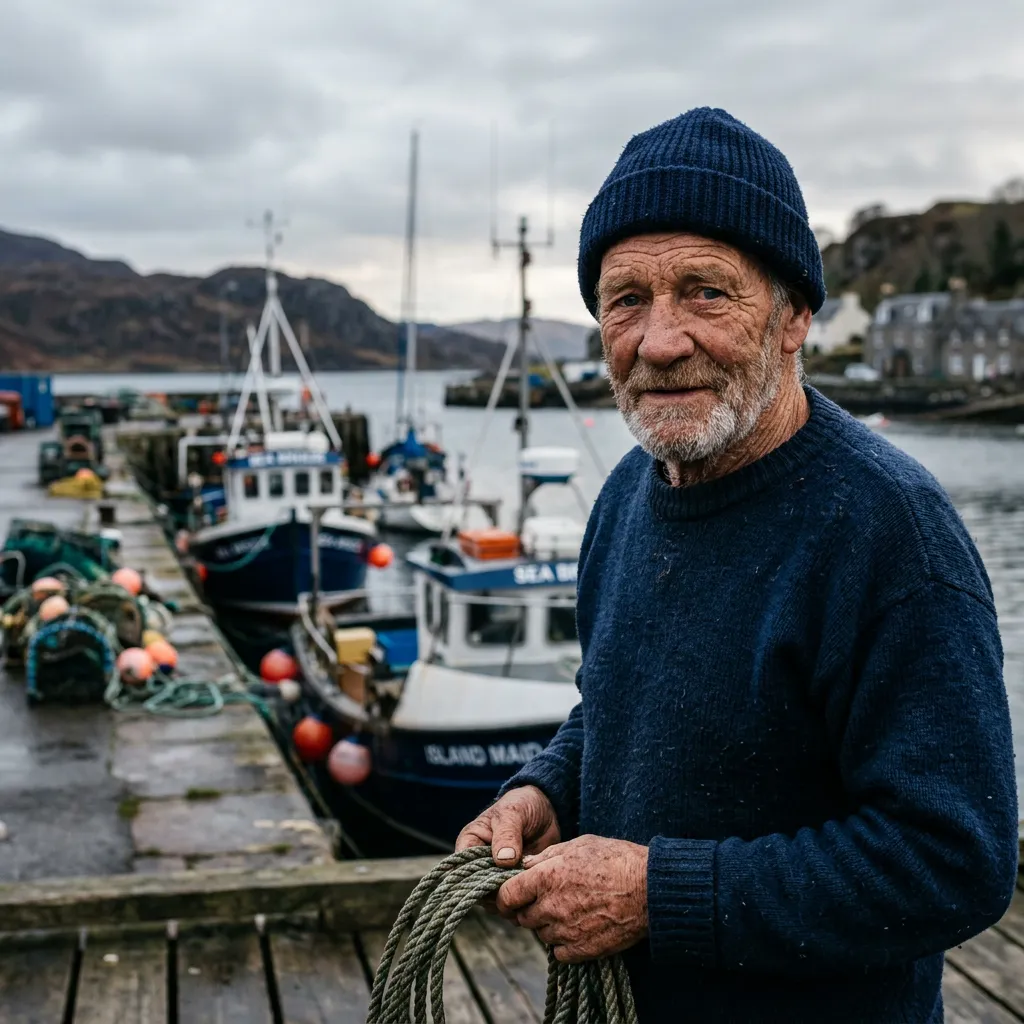 Default · Up to 4K
Nano Banana 2
Google · Image
Google's image model for photographic scene stills, at 1K, 2K or 4K.
 Fast & cheap
Nano Banana 2 Lite
Google · Image
Google's fast, low-cost 1K image tier for high-volume AI B-roll.
NewestGPT 6.1 Sol
OpenAI · Language
OpenAI's GPT 6.1 Sol — 1.05M context, priced alongside Sonnet 5.5.

Try GPT Image 2.5 in Shorz
Download Shorz for Windows or Mac and GPT Image 2.5 is already in the picker — no API key, no subscription, no watermark.
Publishes straight to