









 &
& 
Vibe create videosat the speed of ideas
Auto-edit your own media, or turn a script into a long-form
faceless YouTube video — B-roll, music and captions automated.
Powered by the world's best AI models
 OpenAI
 Claude
 Google
 Kling
Kling ElevenLabs
 Seedance

your clips + a scriptone promptnarrated, finished video
Made with Shorz
Faceless YouTube, auto edits, shorts and more. Any style, any length, any aspect ratio.
Old way vs Shorz way
Every step a human editor does by hand — done for you, automatically.

Manual editing

Shorz
- EditingManual editing: Every cut built on a timelineShorz: Describe it — Auto Edit builds it
- Clean-upManual editing: Scrub for dead air by handShorz: Pauses & filler words removed
- Captions & titlesManual editing: Typed out by handShorz: Added automatically
- B-roll, music & SFXManual editing: Hunted down yourselfShorz: Inserted automatically
- FramingManual editing: Crop & keyframe by handShorz: Face tracking & auto-zoom
- LanguagesManual editing: Re-record for each oneShorz: Your voice in 108 languages
- Thumbnails & scenesManual editing: Separate appsShorz: Built right in
- PublishingManual editing: Upload to each platformShorz: Schedule everywhere at once
- YouManual editing: Stressed out 😟Shorz: Creative vibing 🏖️
Shorz edits for you
B-roll, subtitles, zooms, transitions, music & more — automatic.

Automatic B-roll
Adds relevant visuals, clips, images, and GIFs to support what’s being said.
See how it works
Titles & Subtitles
On-screen titles and readable subtitles for clarity and retention.
See how it works
Auto-Zoom
Zooms into key moments for energy and emphasis.
See how it works
Face Tracking
Keeps faces centered for vertical and social formats.
See how it works
Transitions & Motion
Smooth transitions and subtle motion so videos feel dynamic.
See how it works
Music & Sound
Background music and sound effects that match pace and mood.
See how it works
Dub Into 108 Languages
One toggle translates and re-voices so the same content works in every market.
See how it works
Your Voice, Cloned
Narrate with your cloned voice via your ElevenLabs key — or upload a recording.
See how it works
Freeze Frames
Holds key moments still so important beats land.
See how it worksFor creators & brands

Faceless Channel Builders
Scripts → full YouTube videos with visuals, narration, subtitles & thumbnails — no filming.
Explore Faceless

Short-Form Creators
Long videos or a prompt → Shorts, Reels, and TikToks with captions, B-roll, and music.
Explore Clipping

Founders & Marketers
Webinars, demos, and recordings → polished clips, social posts, and video ads.
Explore Auto Edit
Included with Shorz
Canvas, text editing, thumbnails and animation, built in.
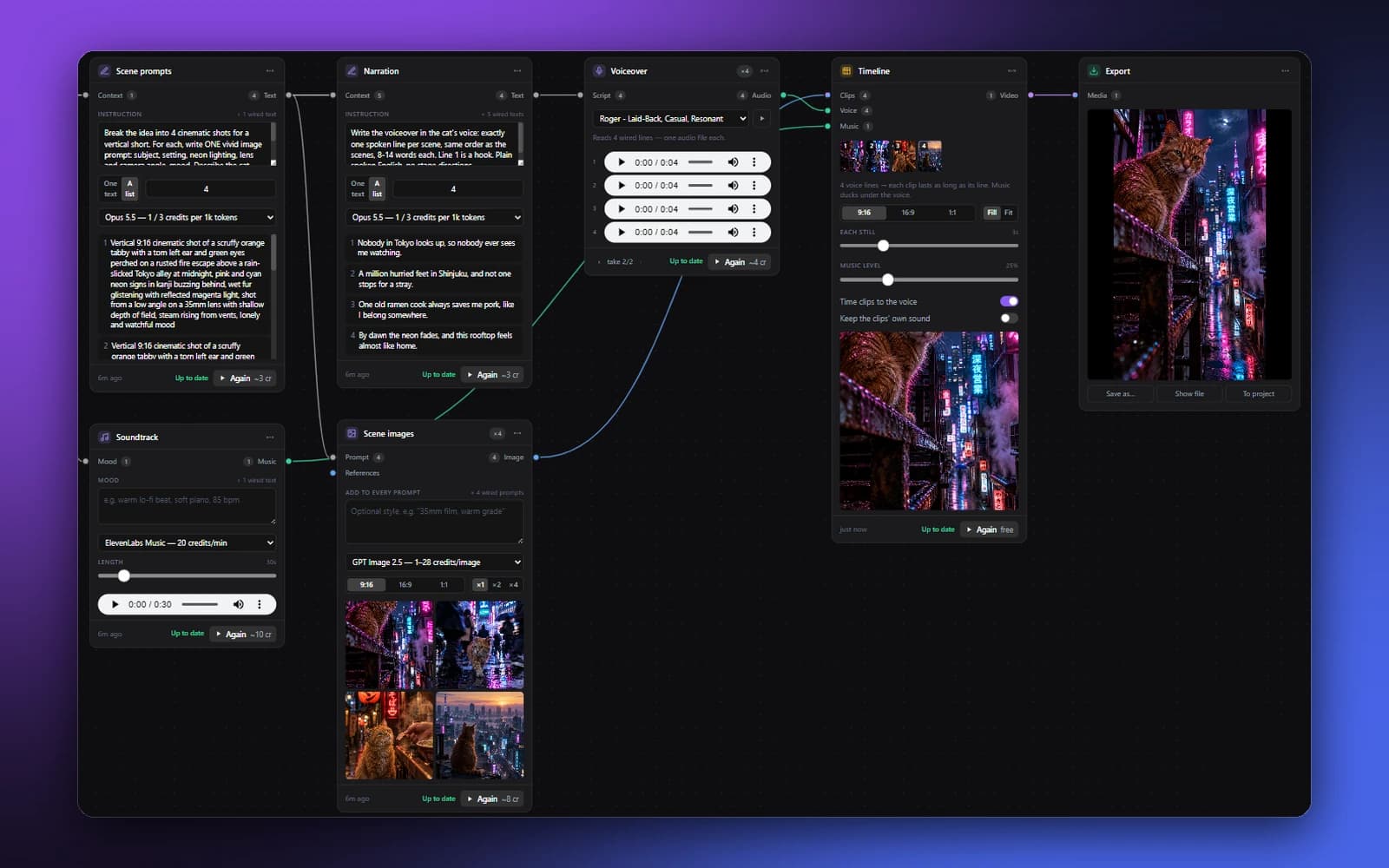
CanvasNew
Build a whole video as a node graph. Script, images, voice, music and timeline, wired together.
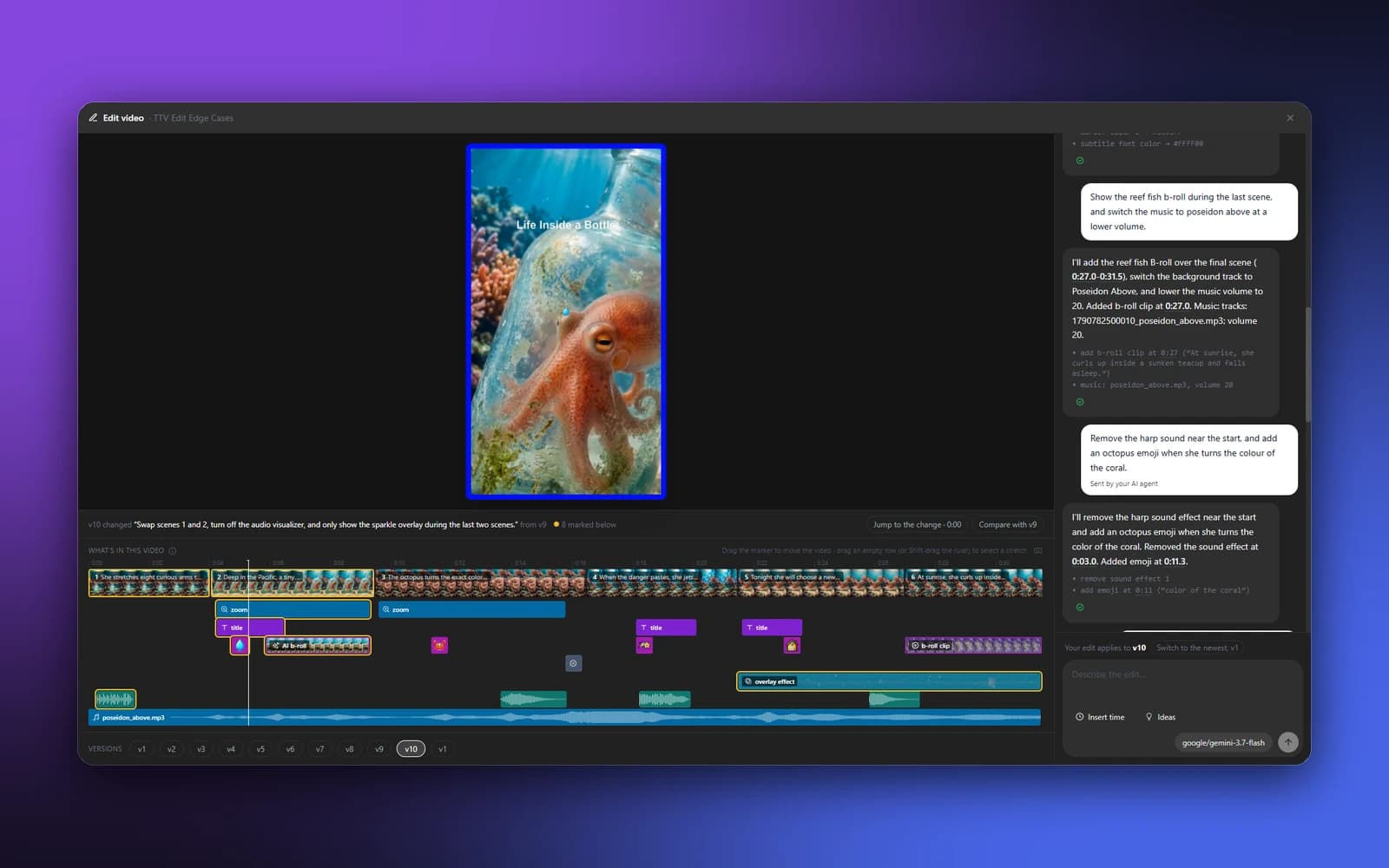
Edit by Text
Type what to change and only that changes. Clips, captions, b-roll and music on one timeline.

Thumbnail Creator
Click-worthy YouTube and Shorts thumbnails from a prompt or reference image.
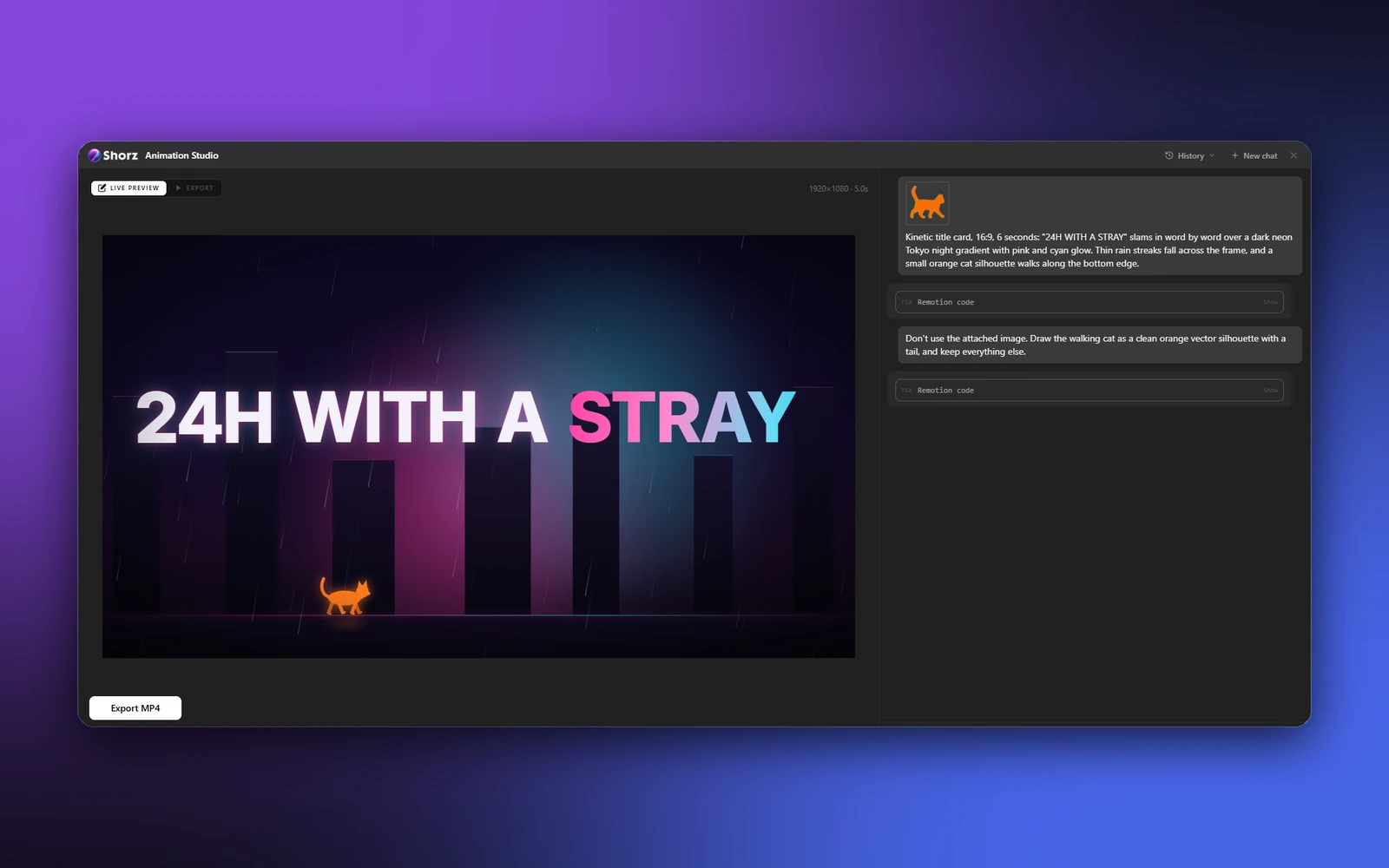
Animation Studio
Prompt animated scenes and preview live as Shorz builds them.
Create once, publish everywhere


No subscription.
Just credits
Start free — Auto Edit and Clipping include 4 videos a week. Buy a pack once from €19.90 when you want more. 1 credit = €0.01.
Let AI run Shorz
Ask Cursor, Claude, Codex, or Gemini to make videos in Shorz — projects, assets, and full automated workflows from one prompt.
- Batch the boring setup work
- Turn prompts into finished projects
- Shorz syncs while the agent works


Connected to Shorz MCP

Plain English in. Finished video out.

one prompt8 Shorz MCP callsnarrated, captioned documentary
Questions, answered
Yes. Download Shorz for Windows or Mac (Apple Silicon) and sign in with your email, no card. Auto Edit and Clipping include 4 free videos a week while your credit balance is empty. The counter resets every Monday and a failed render doesn't count. Free videos work from footage up to 30 minutes and get the full edit: cuts, subtitles, zooms, titles, transitions and music. Nothing is ever watermarked, on any tier. Generating new AI content (Text-to-Video, Avatar, Podcast, Ads, Music Video, AI b-roll, thumbnails) and publishing to social platforms use credits.
Buy a pack once, from €19.90. It's not a subscription and credits never expire. 1 credit = €0.01, so the Starter pack is 1,990 credits. Shorz shows an estimated cost before expensive jobs run, and you're never charged for generations that fail on our side. Sign in to the app with your checkout email and your balance syncs in seconds. Run low? Buy another pack from the website or inside the app.
It depends on the model, length and resolution, but roughly: an auto-edited video ~60 credits per minute, a short clip from a long video ~30, a faceless video ~185 per minute, a video ad ~190, a music video ~640 per minute, and an avatar or podcast video ~1,100 per minute. So the Starter pack makes around 60 short clips or 10 minutes of faceless video.
No. Describe the result you want and Shorz does the timeline work: cutting, subtitles, b-roll, zooms, transitions, music and sound effects, resizing to 9:16, 1:1 or 16:9, and export. It also creates what those apps can't: AI footage, voiceovers, talking avatars, and short clips cut from long videos.
Yes. Post or schedule finished videos to YouTube, TikTok, Instagram, Facebook, X, LinkedIn, Threads and Pinterest from inside the app. A post costs 7 credits on most platforms (X costs more), and your first pack includes 30 free posts (an X post counts as 5).
Your first pack has a 7-day money-back guarantee: make your first video, and if Shorz isn't worth it, we refund the pack in full — even if you've used credits (up to 2,500, plenty for your first videos). Beyond that, unused credits are refundable within 14 days of any purchase. Email info@shorz.ai.
You do. Everything you create is cleared for full commercial use, including client work, monetised channels and paid ads, with no royalties. Footage and music you bring in yourself stay subject to their own licences.
Yes. Shorz runs natively on Macs with Apple Silicon (M1 or newer), signed and notarized by Apple, as well as on Windows 10/11. Intel Macs aren't supported.
Still have questions? Ask founder

Make videos. Skip the editing.
Hand Shorz your footage or a script. It cuts, zooms, captions, adds music and publishes the finished video.
Publishes straight to